
Following the release of the new 14-inch M6 MacBook Pro earlier this week, Apple has bought the “touch experience” to its professional laptop series, introducing a $2,899 (and up) MacBook Pro you can use with touch. It’s very fast, very thin, very light, with an impressive PROLED XDR display and up to 24 hours battery life.
A brief tour through the key specs
- Very fast: Available in 14- and 16-inch models, the new MacBook Pro uses Apple’s powerful M5 Pro and M5 Max chips. They support up to 64GB of unified memory (128GB on M5 Max) and up to 16TB of storage. Apple says the M5 Max can run LLMs with hundreds of billions of parameters entirely on-device.
- Very thin: The 14-inch model is 0.59 inch (1.50 cm) thick, while the 16-inch is 0.63 inch (1.60 cm), so these are only a little thicker than a MacBook Air. Apple says the thinner design is a benefit of the move to an OLED display.
- Very light: The 14-inch weighs 3 pounds, half a pound less than the non-touch equivalent MacBook Pro. The 16-inch weighs 4 pounds, which is 0.7 pounds lighter.
- Industry-leading PROLED XDR display: A tandem OLED panel with up to 2,000 nits peak brightness (1,000 nits sustained brightness) for both HDR and SDR, and a 10,000,000:1 contrast ratio. Refresh rate is variable from 10Hz up to 120Hz.
- Up to 24 hours of battery life: Apple says this is the maximum and that battery life varies by use and configuration. It also varies by model — the 14-inch yields “just” 22 hours battery life. Fast charging takes the battery to 50% in 30 minutes.
Unpacking those numbers, it’s crystal-clear Apple has not stinted on the performance of this pro Mac, with a price tag to match.
IDC data shows that 66% of all touch notebooks are purchased by enterprises. This is a form factor bought for flexibility for field workers, educators, and professionals who move between typing, tapping, and handwriting.
Touch on a Mac
Which brings me to the “touch experience.” Apple hasn’t replaced the traditional Mac interface with touch; it has instead augmented the core OS with it. Swipe to scroll a web page, pinch to zoom a photo, drag-and-drop slides between presentations, double-tap a window to fill the screen, or flick a window to tile it into place. You use touch along with trackpad gestures and keyboard shortcuts, the idea being that touch augments them.
Apple built this integration into macOS 27. It’s a physical thing. The touch sensor is built into the display panel rather than being layered above it. In use, Apple says it reduces latency, making you feel like you’re touching the content.
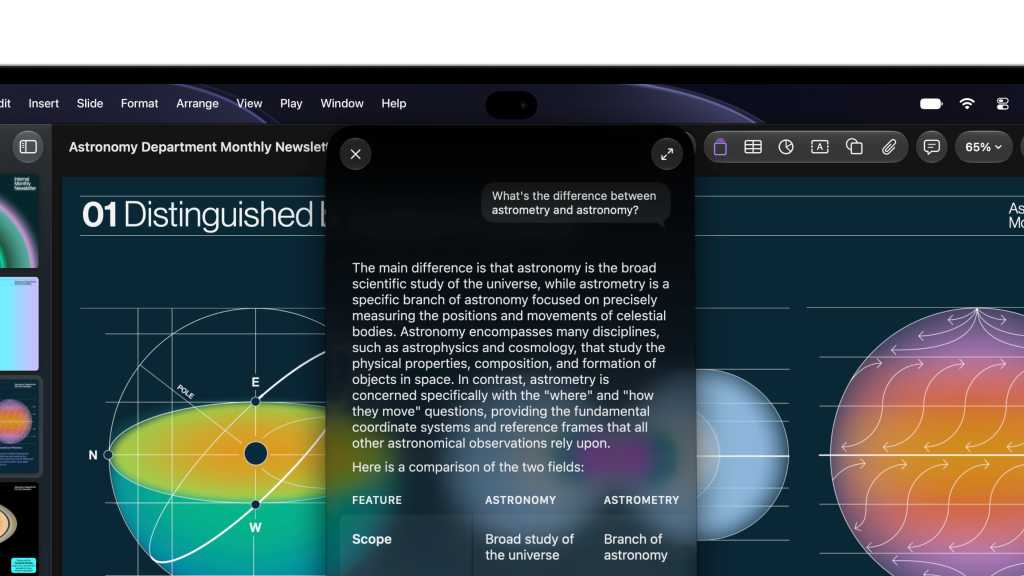
The other point to this integration, according to Apple, is that many existing applications will automatically work with touch as the macOS translates on-screen actions. Apple has also built APIs developers can use to create apps with touch. The company told us Microsoft Word, Excel, and PowerPoint; Adobe Lightroom; DaVinci Resolve; Blender; and Cinema 4D will be touch-enabled later this year.
At this point, Apple is evangelizing how touch can be used by creative professionals for things like playing virtual instruments, drawing and fine control of creative apps like Logic Pro or Final Cut Pro. As I see it, it’s as if the Vision Pro was on a Mac, with touch as the interface to the control plane.
It’s an integrated platform thing
When you touch your MacBook keyboard, your display wiggles a bit, but not with this Mac, as Apple has built a new hinge mechanism to keep it steady. Prior to the event, online speculation claimed this hinge was developed alongside that in the iPhone Duo.
Another borrowing from the iPhone is the inclusion of a Dynamic Island on the Mac. Spotlight, Live Activities, and Siri AI all live right there, and you can interact with them on the Mac.
The PROLED XDR display is worth an article in its own right — as is so much about this Mac. As well as built-in support for touch, it also supports Adobe RGB, P3, and DICOM medical imaging reference modes. It supports genlock for virtual production. It boasts a 10,000,000:1 contrast ratio and a variable refresh rate from 10Hz up to 120Hz. For an even better experience, there’s a nano-texture glass option on the screens, which are 14.2 and 16.3 inches diagonally. Following its first look, Tom’s Guide has already called the display “jaw-dropping.”
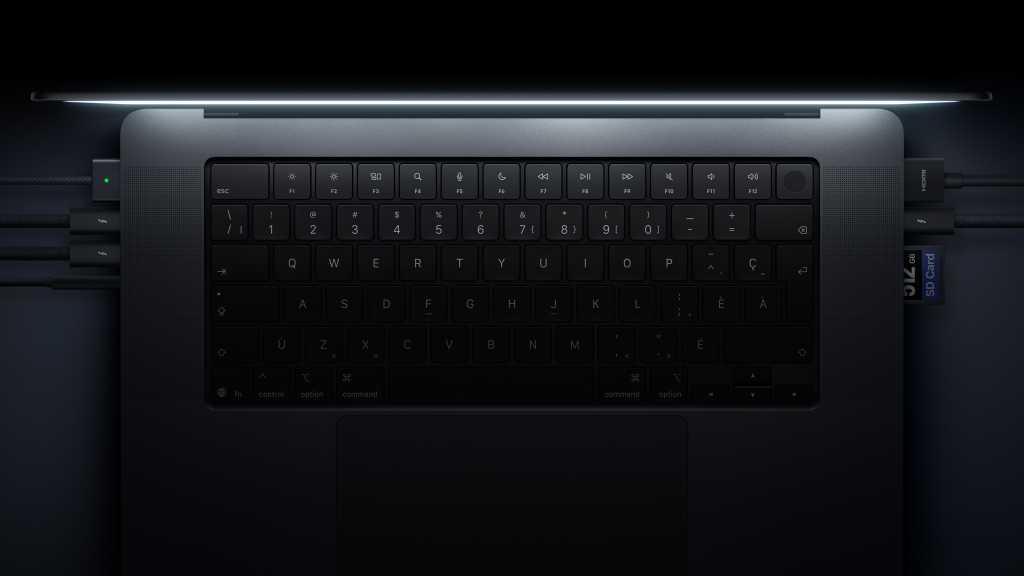
You also get what Apple called the best audio system in a laptop (six speakers with an all-new woofer design) and plenty of interconnects.
The touch-screen laptop debate is over
“Apple is entering a segment that is gaining share in a shrinking market. IDC expects touch to reach one in five notebooks by 2030, and Apple has just made sure that buyers think about touch as a must-have,” said Francisco Jeronimo, vice president, worldwide devices at IDC in a note shared with Computerworld.
“When the company that spent 15 years arguing against touch concludes that it belongs on a notebook, the debate about whether touch is a gimmick is over, and the question becomes who builds the best implementation,” he said.
The new Macs are available for order now and will be available from November 6. They aren’t cheap — the 14-inch model costs from $2,899 with the M5 Pro chip and from $4,499 with M5 Max. The 16-inch model costs from $3,399 with M5 Pro and from $4,799 with M5 Max.
Now please subscribe to my daily, human-curated Apple-related news headline feed at The Core, or follow me on BlueSky, LinkedIn, or Mastodon.